Install · Linux
Install LibreSprite on Linux
There are three ways to get LibreSprite on Linux, and they do not give you the same version. We ran the official 1.3 AppImage and installed the distribution packages ourselves in clean containers. Here is which to pick on your distribution.
On this page 9 sections
Short answer
Which method?
Any distribution: the official AppImage, 1.3, one file. Arch, openSUSE Tumbleweed, Void, Alpine edge: your package manager also has 1.3. Ubuntu, Debian, Mint: no package exists; use the AppImage (or Flathub, which is older).
Version by install method
| Where | Package | Version |
|---|---|---|
| Arch Linux (extra) | libresprite | 1.3 |
| Manjaro Stable | libresprite | 1.2 |
| Manjaro Testing / Unstable | libresprite | 1.3 |
| AUR | libresprite-git | git snapshot |
| Fedora Rawhide | libresprite | 1.2 |
| openSUSE Tumbleweed | libresprite | 1.3 |
| openSUSE Leap 15.6 | libresprite | 1.0 |
| Alpine Linux edge | libresprite | 1.3 |
| Alpine Linux 3.24 | libresprite | 1.2 |
| Void Linux | libresprite | 1.3 |
| GNU Guix | libresprite | 1.3 |
| nixpkgs unstable / 26.05 | libresprite | 1.2 |
| Solus | libresprite | 1.2 |
| FreeBSD Ports | graphics/libresprite | 1.2 |
| Pacstall | libresprite-git | git snapshot |
| Flathub | com.github.libresprite.LibreSprite | 1.2 (listed as 1.1-dev) |
Versions from Repology and Flathub, checked November 1, 2026. Not packaged for Debian, Ubuntu, Homebrew or winget at that date.
AppImage (1.3, any distribution)
Download it
Get
libresprite-v1.3-linux-x86_64.AppImage(93.5 MB) from the download page. It bundles everything it needs.Make it executable and run it
Terminalchmod +x libresprite-v1.3-linux-x86_64.AppImage ./libresprite-v1.3-linux-x86_64.AppImageOr right-click the file → Properties → Permissions → “Allow executing file as program”, then double-click it.
Done
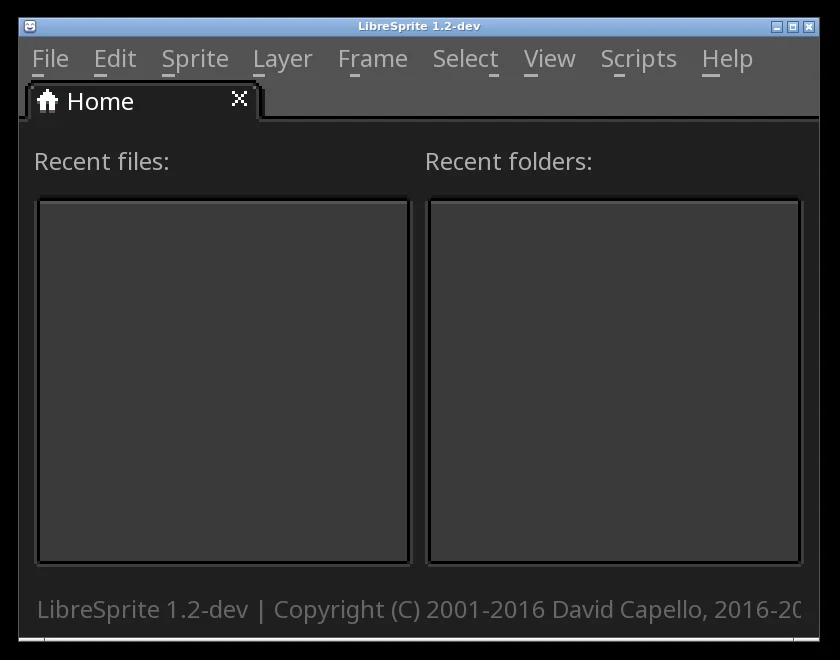
LibreSprite opens on its Home tab.

Real screenshot · Linux (Ubuntu 24.04, X11) · LibreSprite 1.3 (AppImage)First start of LibreSprite 1.3: the Home tab with New File…, Open File…, recent files and folders.
“No suitable fusermount binary found”
If FUSE is missing (common on fresh Ubuntu 24.04 installs and in containers), the 1.3 AppImage prints Error: No suitable fusermount binary found on the $PATH and then starts anyway: it unpacks itself to a temporary folder instead of mounting. We saw exactly that. Installing FUSE (sudo apt install fuse3 on Ubuntu) removes the message and the extra start-up time.
Add it to your applications menu
Move the file somewhere permanent, then create a launcher:
mkdir -p ~/Applications ~/.local/share/applications
mv libresprite-v1.3-linux-x86_64.AppImage ~/Applications/
cat > ~/.local/share/applications/libresprite.desktop <<'EOF2'
[Desktop Entry]
Name=LibreSprite
Exec=$HOME/Applications/libresprite-v1.3-linux-x86_64.AppImage %F
Type=Application
Categories=Graphics;2DGraphics;
MimeType=image/x-aseprite;
EOF2
sed -i "s|\$HOME|$HOME|" ~/.local/share/applications/libresprite.desktop
Tools like Gear Lever or AppImageLauncher do the same with a click.
Flatpak from Flathub
flatpak install flathub com.github.libresprite.LibreSprite
flatpak run com.github.libresprite.LibreSprite
Flathub is behind
On November 1, 2026 Flathub’s listing said 1.1-dev, but its build recipe compiles the v1.2 tag and the app we installed reported “1.2-dev”: so Flathub has 1.2, one release behind, although 144,285 people have installed it there. A request to update it was opened the day after 1.3 came out (issue #700). Choose Flathub for its sandbox and automatic updates; choose the AppImage for 1.3.
What we saw with the Flathub build: it has access to your home folder, X11/Wayland and the GPU; it keeps its settings in ~/.var/app/com.github.libresprite.LibreSprite/config/libresprite/; and on first start it opened as a small window with the interface at 300 % scale (fix it in Edit → Preferences → General → UI Elements Scaling). 1.3 fixed that first-run scaling, but the Flatpak doesn’t have it yet.
Distribution packages (tested)
Each of these was installed in a clean official container on November 1, 2026:
sudo pacman -S librespriteArch’s extra repository: 1.3-1. Manjaro stable had 1.2, testing 1.3. The AUR also has libresprite-git (latest commit).
sudo dnf install librespriteFedora Rawhide: 1.2. Fedora 44 (the stable release at the time) had no package: “No match for argument: libresprite”. Use the AppImage or Flathub there.
sudo zypper in librespriteTumbleweed: 1.3. Leap 15.6 has 1.0.
sudo xbps-install -S libresprite1.3.
doas apk add librespriteedge (community): 1.3; Alpine 3.24: 1.2.
nixpkgs: 1.2 (nix-shell -p libresprite); we ran it with nix run nixpkgs#libresprite (Nix 2.35.4) and it reported “LibreSprite 1.2-dev”. GNU Guix: 1.3. Run guix pull first, then guix install libresprite: in our test, Ubuntu’s own guix package (Guix 1.4.0) offered only LibreSprite 1.0 until we ran guix pull (about 29 minutes on a fresh machine); afterwards it installed 1.3, which shows “LibreSprite 1.3” in its title bar.
Not packaged: apt-cache search libresprite returned nothing on Ubuntu 24.04 LTS and Debian 13. Linux Mint, Pop!_OS and Zorin use Ubuntu’s repositories, so the same applies. Use the AppImage, or Flathub (Mint’s Software Manager shows the Flathub version).
Why does my 1.3 package say 1.2-dev?
Distribution builds of 1.3 print LibreSprite 1.2-dev (local build) for --version (we saw it on Arch, openSUSE and Void). Only the official release builds are compiled with the release version string. Check the real version with your package manager: pacman -Qi libresprite, rpm -q libresprite or xbps-query libresprite.
Wayland: “Unable to create a user-interface display”
A reported problem on pure Wayland sessions (sway and similar, issue #453): LibreSprite stops with Unable to create a user-interface display. Details: failed to create an EGL window surface and Error initializing module: gui. The usual workaround is to make SDL use X11 through XWayland:
SDL_VIDEODRIVER=x11 ./libresprite-v1.3-linux-x86_64.AppImage
We tested on X11 only, so treat this as the reported fix. GNOME and KDE Wayland sessions include XWayland by default.
Settings folder
~/.config/libresprite
Or $XDG_CONFIG_HOME/libresprite if you set that variable. It holds libresprite.ini (written when you quit), palettes/default.ase, scripts/, sessions/ (crash recovery), data/skins/ for themes, and files/ with per-file settings. The Flatpak keeps its own copy under ~/.var/app/com.github.libresprite.LibreSprite/.
Running without a display
For servers and CI, the batch command line works without a desktop. The AppImage ran headless in our tests; distribution builds stopped with “Could not initialize SDL2” until we added SDL_VIDEODRIVER=dummy:
SDL_VIDEODRIVER=dummy libresprite -b walk.ase --sheet walk.png --data walk.json
All options are on the command line page.
Uninstall
AppImage: delete the file (and the .desktop launcher if you made one). Flatpak: flatpak uninstall com.github.libresprite.LibreSprite. Packages: sudo pacman -R libresprite, sudo dnf remove libresprite, and so on. Delete ~/.config/libresprite to remove your settings.
FAQ
Does LibreSprite work on Linux?
Yes. Linux is LibreSprite’s best-supported platform: an official AppImage plus packages in many distributions.
How do I install LibreSprite on Ubuntu?
Ubuntu has no LibreSprite package. Download the AppImage, chmod +x it and run it; or install the (older) Flathub version.
Is there a Snap?
We found no maintained Snap package of LibreSprite. Use the AppImage or Flatpak.
Does it run on a Raspberry Pi or ARM Linux?
The official AppImage is x86_64 only. Some distributions build LibreSprite for ARM (Alpine, Arch Linux ARM), or you can build it yourself.
Keep going
Found something wrong or out of date? Tell us: hello@libresprite.dev. We fix mistakes within a day.