Docs · Themes
LibreSprite themes: install a dark or light skin
A theme (LibreSprite calls them skins) changes every colour, icon and font in the interface. Installing one takes a minute and needs no admin rights. We installed two community themes on LibreSprite 1.3 to check the steps.
On this page 5 sections
Short answer
How do I change the theme in LibreSprite?
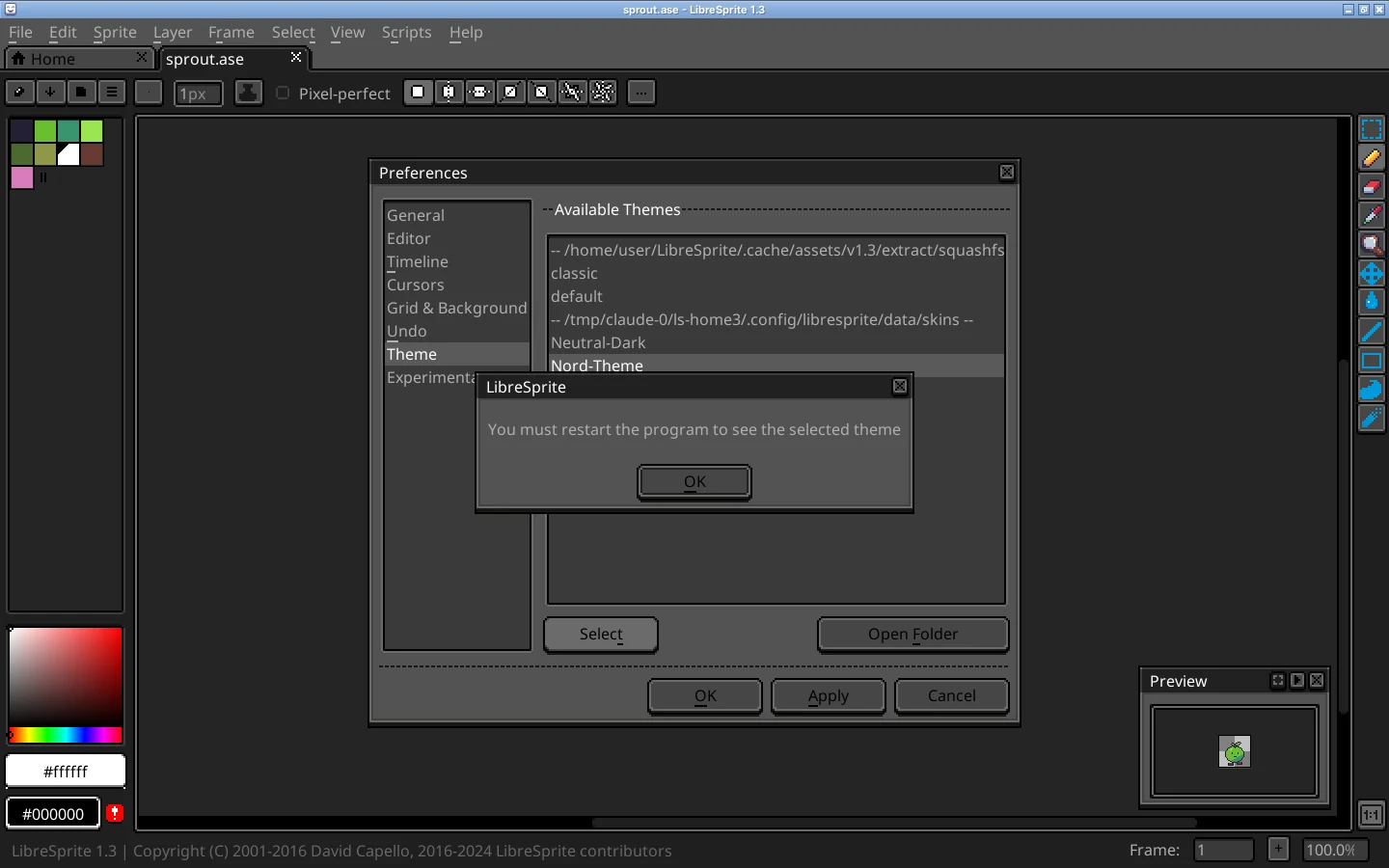
Edit → Preferences → Theme, pick a theme, press Select, then restart LibreSprite. To add a community theme, click Open Folder on that tab, copy the theme’s folder (the one that contains skin.xml and sheet.png) into it, and restart so it appears in the list.
The built-in themes
| Folder | Look |
|---|---|
default | The dark theme you see on first start. Its skin.xml names it Neutral Dark, by BlackRaven: a community theme that became LibreSprite’s default. |
classic | The original Aseprite-era look LibreSprite inherited in 2016 (its file calls it “Default”), light beige-grey panels with black text and the old pixel icons. |

Install a community theme
Download the theme
Most themes are GitHub repositories or zip files. The project’s
Theming.mdand the community resources page list several (Neutral Dark, Purple Tint, Unofficial Dead Cells…). Extract the zip.Find the right folder inside
You need the folder that directly contains
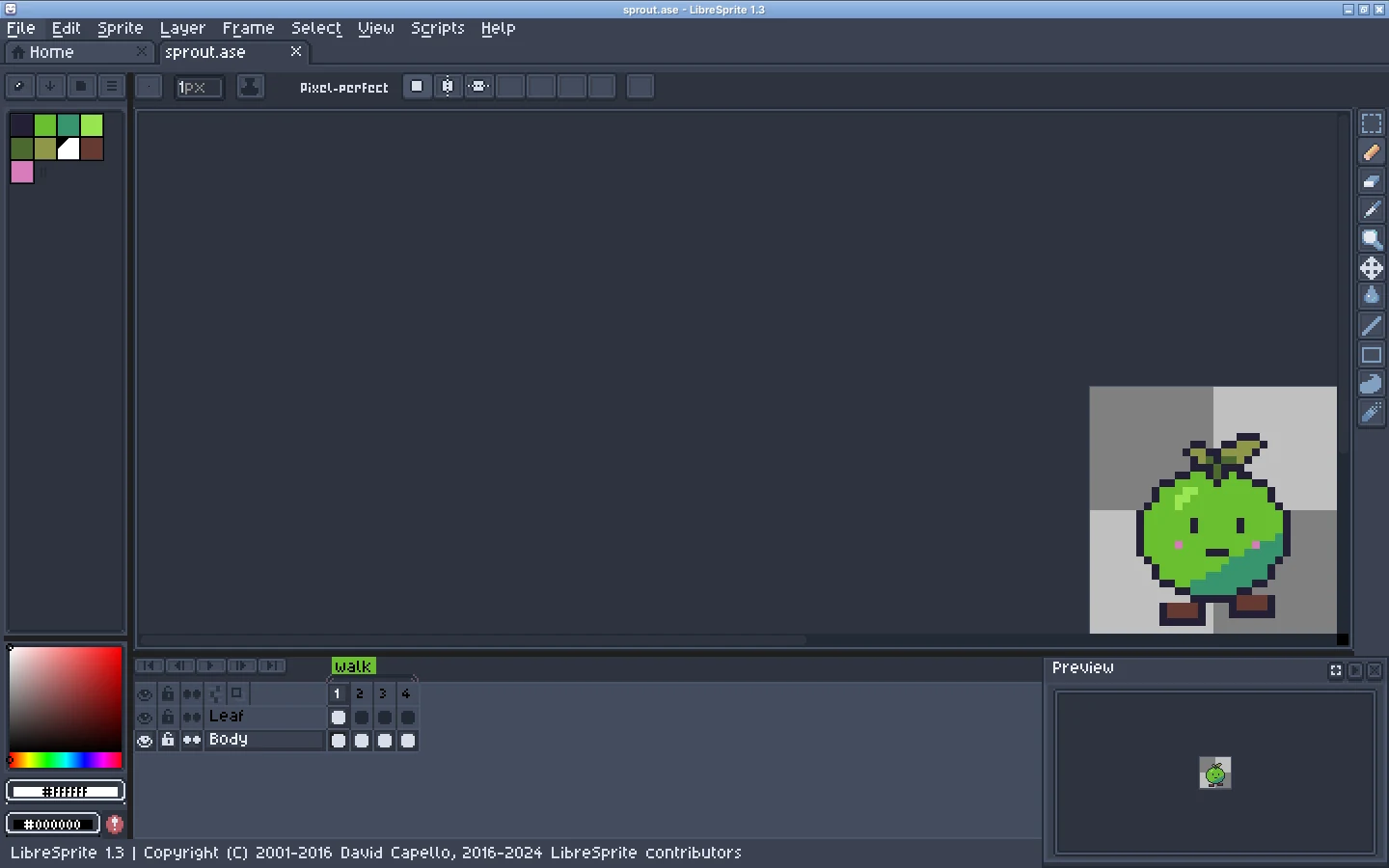
skin.xmlandsheet.png. Some downloads wrap it in extra folders (the Nord theme we tested keeps it inskins/Nord-Theme).Copy it into your user skins folder
Preferences → Theme → Open Folder opens it for you, or go there yourself:
Windows %AppData%\LibreSprite\data\skins\macOS ~/Library/Application Support/LibreSprite/data/skins/Linux ~/.config/libresprite/data/skins/(or$XDG_CONFIG_HOME/libresprite/data/skins/)Linux Flatpak ~/.var/app/com.github.libresprite.LibreSprite/config/libresprite/data/skins/(tested)The program’s own
data/skinsfolder (next tolibresprite.exe, or inside the app) works too. Older guides send you there, but the user folder survives updates and needs no admin rights.Restart, select, restart
Restart LibreSprite so the theme is listed, choose it in Preferences → Theme, press Select, and restart again when asked.
Older themes on 1.3
Themes made for earlier versions may not include icons for newer buttons. With the Nord theme on 1.3, several buttons in the tool options bar showed up blank. If that bothers you, check the theme’s page for an update, or switch back to default.
Aseprite theme extensions: opening an .aseprite-extension file with File → Open in LibreSprite 1.3 unpacks it into the skins folder and selects it as the theme (restart to see it). Aseprite themes made for recent versions may look broken because the two programs’ theme formats have drifted apart.
Switch back or remove a theme safely
- Preferences → Theme → select
default(or another theme) → Select → restart. - Only then delete the theme’s folder.
If you delete the folder of the theme that is still selected, LibreSprite stops at start with “File skins/<theme>/sheet.png not found”. Fix: put the folder back, or delete the selected = … line under [theme] in libresprite.ini. Step by step in troubleshooting.
Make your own theme
A theme is a folder with:
sheet.png: one image holding every icon, button frame and widget part.skin.xml: the theme’s name and author, then sections fordimensions,colors,cursors,tools(toolbar icons),parts(which rectangle ofsheet.pngis which piece) and astylesheet.- Optional fonts (
font.ttf,font.otfor a pixelfont.png, plus per-language variants) and apalette.png.
The easiest start is to copy the default folder from the program’s data/skins into your user skins folder under a new name, change the name in skin.xml, and recolour sheet.png in LibreSprite itself. View → Refresh & Reload Skin (F5) reloads it without restarting while you work.
Tested on the Flatpak
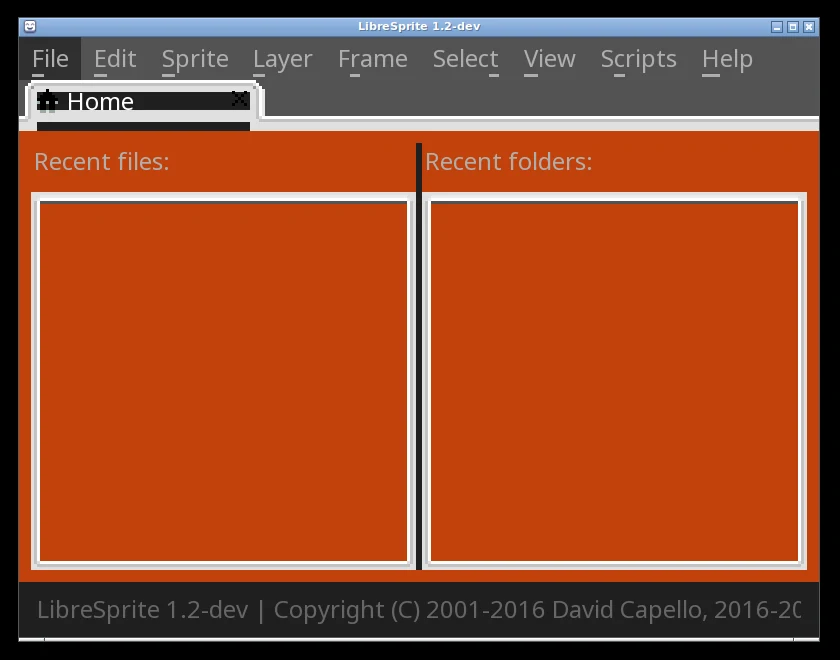
To check the Flatpak folder, we made a deliberately ugly test theme (orange panels, inverted icons), placed it in ~/.var/app/com.github.libresprite.LibreSprite/config/libresprite/data/skins/ and set it in libresprite.ini. The Flathub build loaded it:
FAQ
Does LibreSprite have a dark mode?
Yes: the default theme is dark. For a lighter look, select classic or install a light community theme.
Why doesn’t my new theme appear in the list?
Either LibreSprite hasn’t been restarted since you copied it, or the folder is one level too deep. The folder you copy must contain skin.xml directly.
Can I change the font?
Only through a theme: put font.ttf (or .otf) in a theme folder. For text you draw on the canvas, Edit → Insert Text lets you pick any font file.
Do themes work on the Flatpak?
Yes. We put a test theme in the Flatpak’s own folder (~/.var/app/com.github.libresprite.LibreSprite/config/libresprite/data/skins/), selected it, and the Flathub build loaded it.
Keep going
Found something wrong or out of date? Tell us: hello@libresprite.dev. We fix mistakes within a day.