Install · Windows
Install LibreSprite on Windows
LibreSprite 1.3 comes for Windows as an installer and as a portable zip, both 64-bit. We ran both on a Windows Server 2025 machine and on Windows 11 Arm64, and this guide follows exactly what happened there.
On this page 10 sections
Short answer
The short version
On an ordinary Intel or AMD PC, download libresprite-v1.3-windows-x86_64-installer.exe, run it, accept the licence and start LibreSprite from the Start menu. On a Snapdragon (Windows on Arm) laptop the installer refuses to run: use the zip instead. Both take about two minutes.
Option 1: the installer
Download the installer
Get
libresprite-v1.3-windows-x86_64-installer.exe(about 30 MB) from the download page. It comes straight from the project’s GitHub releases.Run it and accept the GPL
Double-click it. Windows asks for administrator permission, because it installs into
C:\Program Files\LibreSprite. The first page is the GNU General Public License: choose I accept the agreement and click Next.
Real screenshot · Windows Server 2025 · LibreSprite 1.3 (installer)The LibreSprite 1.3 installer opens on the GPL licence page (“Setup - LibreSprite version 1.3”). Optional: a desktop icon
The wizard offers a desktop icon as an unticked option. Without it you still get a Start menu entry named LibreSprite.
Start LibreSprite
Open it from the Start menu. It starts on the Home tab with New File… and Open File….

Real screenshot · Windows Server 2025 · LibreSprite 1.3 (installer)First start of the installed app on Windows: the Home tab.
The installer also registers LibreSprite under “Open with” for .ase files; double-clicking our test file opened it in LibreSprite. In Settings → Apps it appears as LibreSprite version 1.3, publisher “LibreSprite Team”, about 99 MB.
Silent install (for labs and scripts)
The installer is built with Inno Setup and accepts its standard switches; both worked in our runs:
.\libresprite-v1.3-windows-x86_64-installer.exe /VERYSILENT /SUPPRESSMSGBOXES /NORESTART
# remove it again
& "C:\Program Files\LibreSprite\unins000.exe" /VERYSILENT /SUPPRESSMSGBOXESOption 2: the portable zip
The zip needs no administrator rights and no installation. Two things are worth knowing before you start.
Make a folder first
The zip has no folder inside: it holds 59 items (
libresprite.exe, about 57 DLL files and adatafolder) that land wherever you extract. Create a folder such asC:\Tools\LibreSpriteorDocuments\LibreSpriteand extract into it.Run libresprite.exe
Double-click
libresprite.exein that folder. Pin it to Start or the taskbar if you like.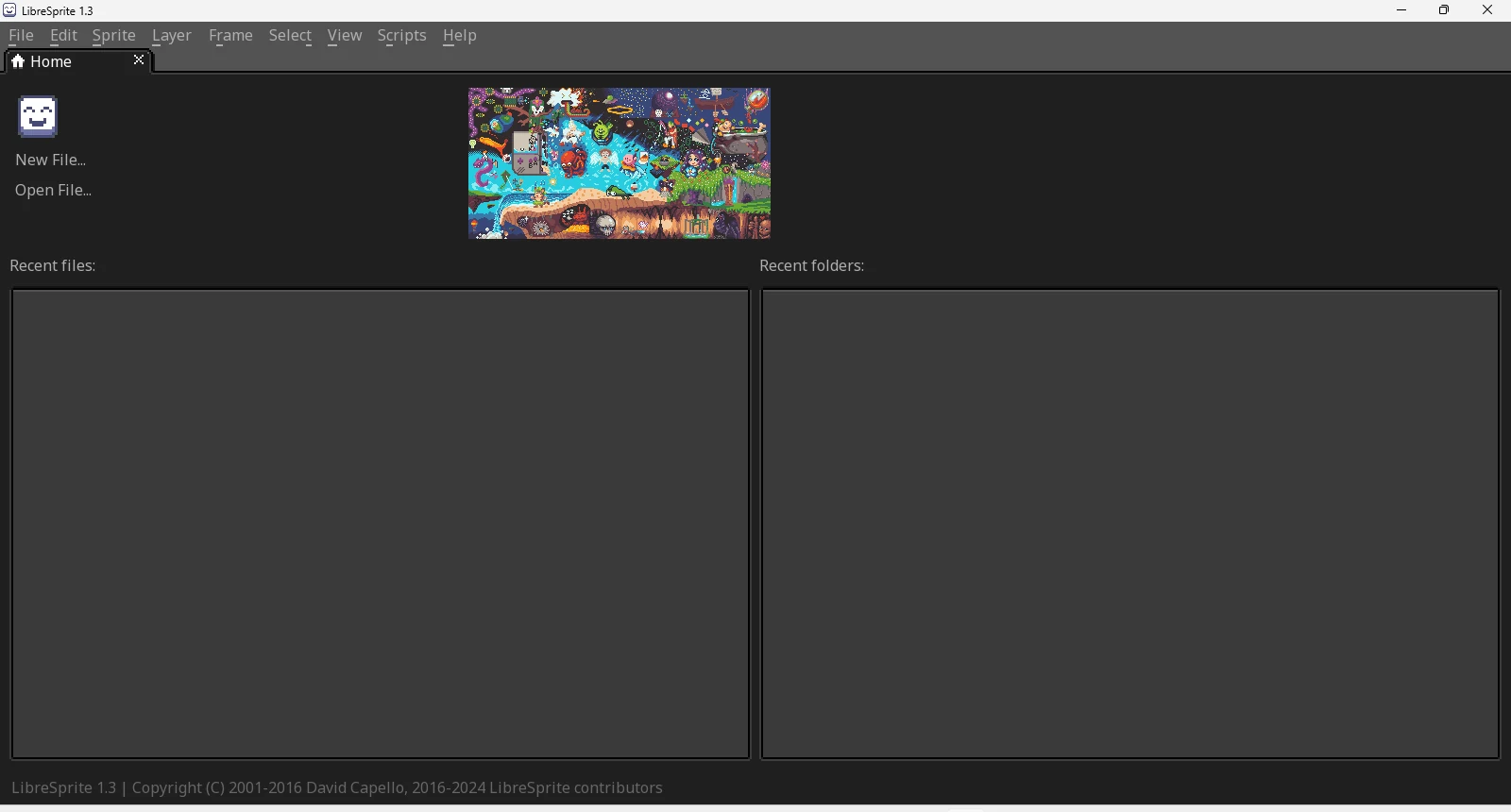
Real screenshot · Windows Server 2025 · LibreSprite 1.3 (installer)The portable zip build running from C:\Tools\LibreSprite. Make it truly portable (optional)
By default the zip build still saves its settings in
%AppData%\LibreSprite, like the installed one. To keep settings next to the program (on a USB stick, for example), create an empty file namedlibresprite.iniin the same folder aslibresprite.exe. LibreSprite checks for that file at start-up; from then on it writes its settings into it and leaves%AppData%alone. We verified both behaviours.PowerShell, in the LibreSprite folderNew-Item -ItemType File libresprite.ini
Windows on Arm (Snapdragon, Copilot+ PCs)
On our Windows 11 Arm64 machine the installer stopped straight away. Its log says:
This program does not support the version of Windows your computer is running.The installer is marked as x64-only, so Inno Setup refuses to run on Arm64. The portable zip works on the same machine: Windows runs the x64 program through its built-in emulation, and LibreSprite opened, drew and saved its settings normally.

SmartScreen and antivirus warnings
The LibreSprite installer and libresprite.exe are not code-signed. Windows treats unsigned downloads with caution, so you may see “Windows protected your PC” the first time; click More info, check that the publisher line says “Unknown publisher” and the file name matches, then Run anyway. On our test machines no SmartScreen prompt appeared, and Microsoft Defender’s scan of both downloads reported “no threats”. More on this on Is LibreSprite safe?
Where LibreSprite keeps its settings
%AppData%\LibreSprite
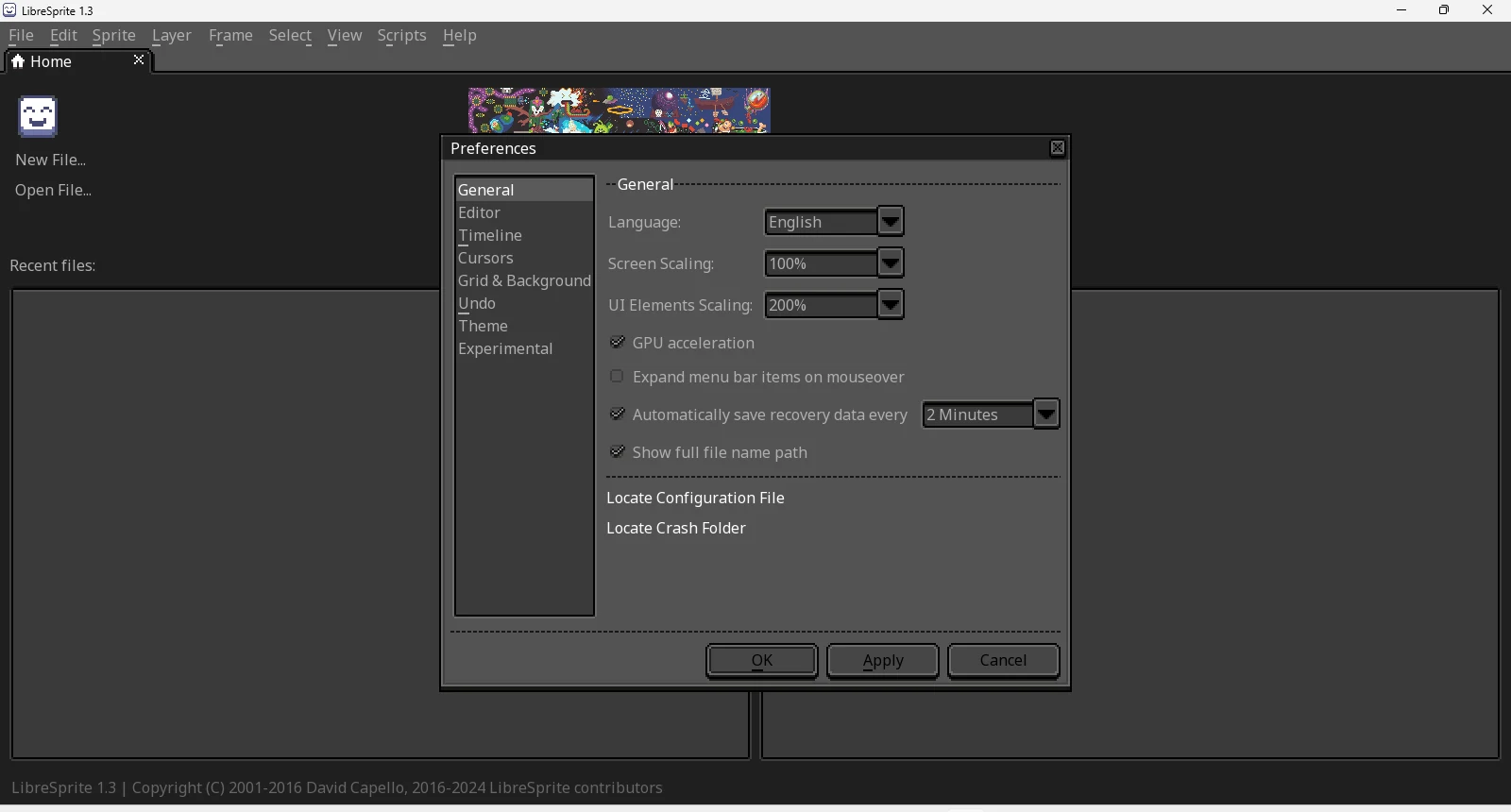
Paste that into the File Explorer address bar. After a first run it contains libresprite.ini (preferences, window layout, recent files), palettes\default.ase, scripts\ (your scripts; also reachable from Scripts → Open Folder), sessions\ (crash recovery) and user.aseprite-brushes. Preferences → General has a Locate Configuration File button that opens it, and on Windows a Locate Crash Folder button too.
Install with Scoop or Chocolatey
Scoop’s extras bucket has 1.3:
scoop bucket add extras
scoop install extras/libresprite
Chocolatey’s package is still LibreSprite 1.0 (2021), so we do not recommend it. LibreSprite is not in winget or the Microsoft Store.
Update to a new version
LibreSprite has no built-in updater. Download the new installer and run it over the old one; your settings in %AppData%\LibreSprite stay. For the zip, extract the new version into a new folder (copy your libresprite.ini across if you use portable mode).
Uninstall LibreSprite
Settings → Apps → Installed apps → LibreSprite version 1.3 → Uninstall. In our test the uninstaller removed C:\Program Files\LibreSprite completely. Your settings are left in %AppData%\LibreSprite; delete that folder too for a clean slate. The zip build is removed by deleting its folder.
If something goes wrong
- “VCRUNTIME140_1.dll was not found” / “Entrypoint not found”: usually an old or partial build, or files mixed from two versions. Use a fresh 1.3 folder. See troubleshooting.
- “File skins/…/sheet.png not found”: the
datafolder is missing next tolibresprite.exe(the zip was only partly extracted). - The interface is huge or tiny: Preferences → General → UI Elements Scaling. Preferences.
FAQ
Does LibreSprite work on Windows 11?
Yes. 1.3 ran on current Windows builds in our tests, on both x64 and (with the zip) Arm64.
Does LibreSprite work on Windows 10?
Yes, the 1.3 builds are 64-bit Windows programs for Windows 10 and 11. The project’s newer code requires Windows 10 as a minimum.
Is there a 32-bit version?
No. 1.3 ships only x64 builds for Windows.
Do I need administrator rights?
For the installer, yes (it installs to Program Files). The portable zip needs none.
Keep going
Found something wrong or out of date? Tell us: hello@libresprite.dev. We fix mistakes within a day.