Guide · Idle animation
A pixel art idle animation in LibreSprite
An idle animation keeps a character alive while the player does nothing. The simplest convincing one is a breathing loop: the body sinks one pixel and rises again. This guide builds a 4-frame loop for our demo character Pip; the animation below was exported by LibreSprite 1.3.
On this page 5 sections
Short answer
How many frames does a pixel art idle animation need?
Two to four. Two frames (up and down, about 500 ms each) already read as breathing. Four frames look softer: move the body down one pixel, then the head one frame later, then the body back up, then the head. At 250 ms per frame that is a calm one-second loop.

libresprite -b pip-idle.ase --scale 8 --save-as pip-idle-x8.gif.The four frames
Only two parts move, and never more than one pixel. The head follows the body one frame late; that small delay (called overlapping action) is what makes it feel soft instead of mechanical.
| Frame | Body (tunic, arms) | Head | Legs |
|---|---|---|---|
| 1 | up | up | never move |
| 2 | down 1 px | up | |
| 3 | down | down 1 px | |
| 4 | up | down |

--sheet (128 × 32, shown at 4×).Make it in LibreSprite
Start from a finished pose
Draw the character standing (or open one: our first character guide builds Pip). Keep the feet on the bottom rows with some empty space above the head, so it can move without leaving the canvas.
Add three copies
Tab shows the timeline. Alt+N adds a new frame that copies the current one; press it three times.
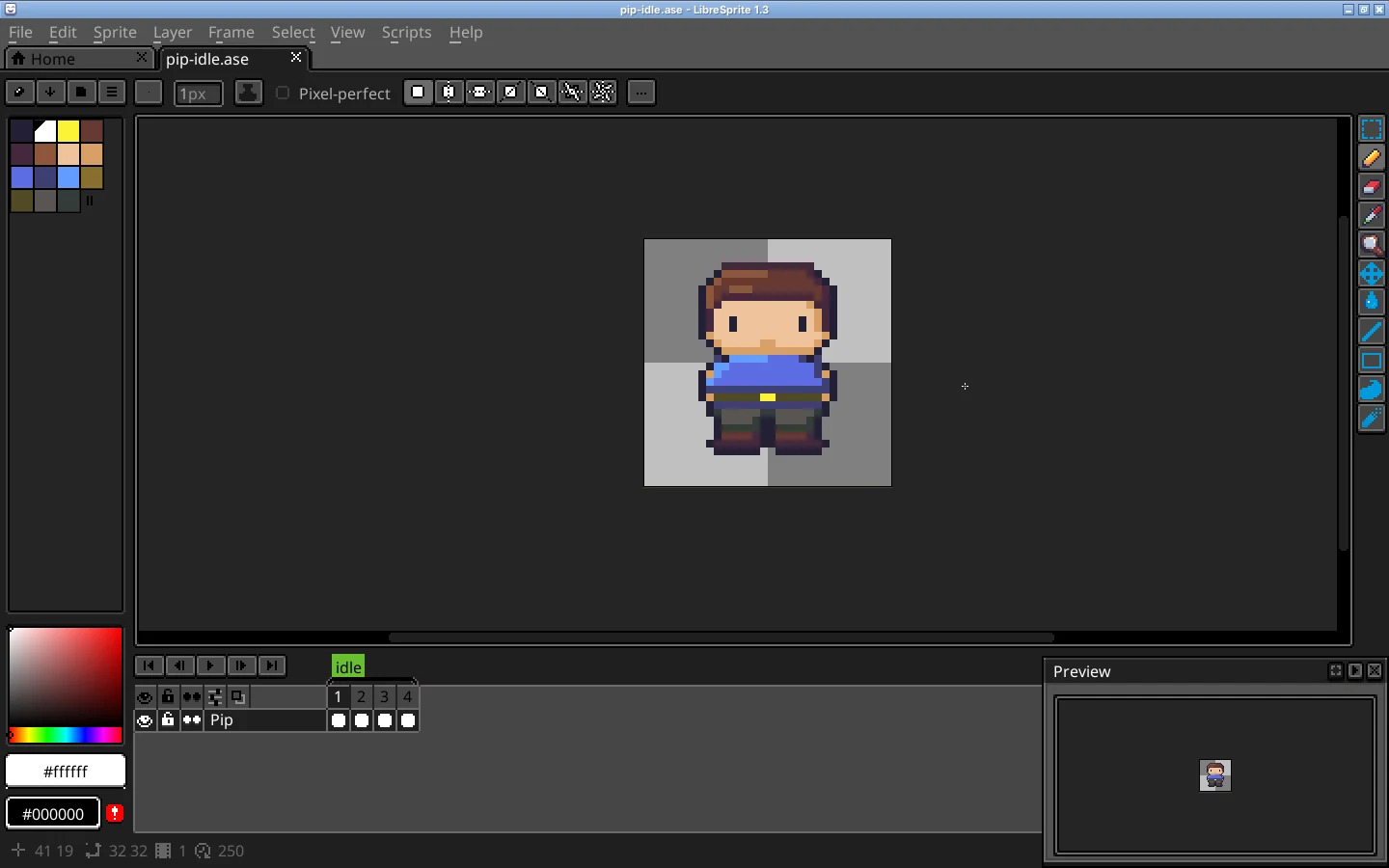
Real screenshot · Linux (Ubuntu 24.04, X11) · LibreSprite 1.3 (AppImage)Pip’s idle loop in LibreSprite 1.3 at 800 %: one layer, four frames, the tag “idle”, 250 ms per frame (bottom right of the status bar). Frame 2: move the body down
Go to frame 2 (→). With the Rectangular Marquee (M), select from the neck to the belt, across the full width. Press ↓ once to move the selection one pixel. Fill the gap it leaves under the chin by extending the neck or collar by one pixel; the trousers get one pixel shorter, which reads as bent knees.
Frames 3 and 4
Frame 3: do the same with the head (select the hair and face, ↓ once). Frame 4: start from frame 3 and move the body back up, leaving the head down. On the next loop, frame 1 brings the head up.
Check with onion skin
F3 shows the previous frame faintly under the current one. Here, on frame 3, you can see the head of frame 2 one pixel higher. Every edge should move by exactly one pixel, never two.
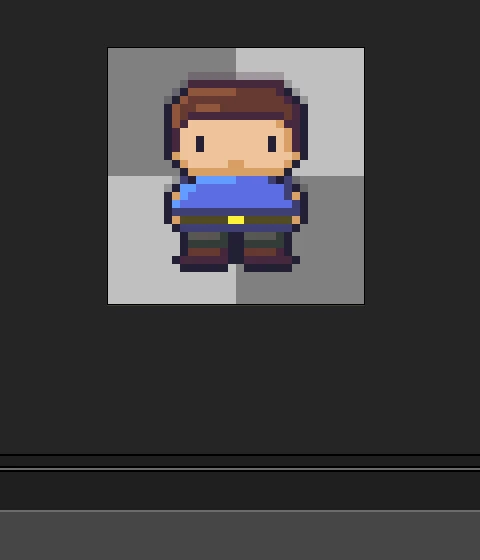
Real screenshot · Linux (Ubuntu 24.04, X11) · LibreSprite 1.3 (AppImage)Onion skin (F3) on frame 3: frame 2’s head shows faintly one pixel higher. Set the timing
Press P on a frame to set its duration in milliseconds. 250 ms each makes a one-second breath. To linger on the poses, try 400 ms on frames 1 and 3 and 150 ms on frames 2 and 4. Select several frames in the timeline first to change them all at once.
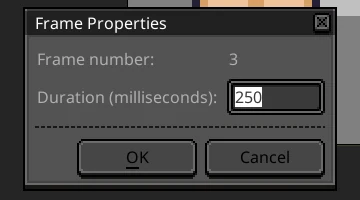
Real screenshot · Linux (Ubuntu 24.04, X11) · LibreSprite 1.3 (AppImage)Frame Properties (P): the duration of the current frame in milliseconds. Name it and play
Select the four frames and use Frame → Tags → New Tag to call the range “idle”. Enter plays it in the editor; the Preview window (F7) plays it at actual size, which is how players will see it.
Export
- GIF to share: File → Export, name it
idle.gif, Resize 400–800 %. Each frame keeps its own duration (our GIF has 250 ms per frame). - For a game: File → Export Sprite Sheet with JSON data. LibreSprite’s JSON lists every frame’s position and its
duration, and the tag “idle” when you add--list-tagson the command line. Engine guides: Godot, Unity. - Command line:
libresprite -b --list-tags idle.ase --sheet idle.png --data idle.json --format json-array.
Make it more alive
- Blink: add a second, rarer animation where the eyes close for one 100 ms frame. Play it every few seconds from your game code instead of building it into every loop.
- Secondary motion: hair, a scarf, ears or a tail can move one frame after the head, just as the head follows the body here.
- Weapons and props bob with the hands; a cape or flag can sway sideways instead.
- Bigger characters (64 px and up) can use 6–8 frames and add shoulders rising separately from the chest.
- Keep it subtle. If the idle loop is more eye-catching than the walk cycle, it is too strong.
FAQ
How fast should an idle animation be?
Slower than a walk: a full breath usually takes about 0.8–1.5 s. With 4 frames, that means 200–375 ms per frame.
Should the feet move in an idle animation?
No. Planted feet keep the character from sliding; only the upper body moves.
Can I use different durations for each frame?
Yes. Each frame in LibreSprite has its own duration, and both GIF export and sprite-sheet JSON keep it. Set it with P (Frame Properties).
My character jitters instead of breathing. Why?
Usually something moves two pixels, or the head and body move on the same frame. Turn on onion skin and check that each frame changes only one part by one pixel.
Keep going
Found something wrong or out of date? Tell us: hello@libresprite.dev. We fix mistakes within a day.